Upload a File
You can attach files directly to your chat conversations, giving the AI context from your documents. This is perfect for asking questions about a report, analyzing data in a spreadsheet, or getting summaries of long documents.
How to Upload a File
There are two ways to attach files to your conversation:
Option 1: Click the Upload Button
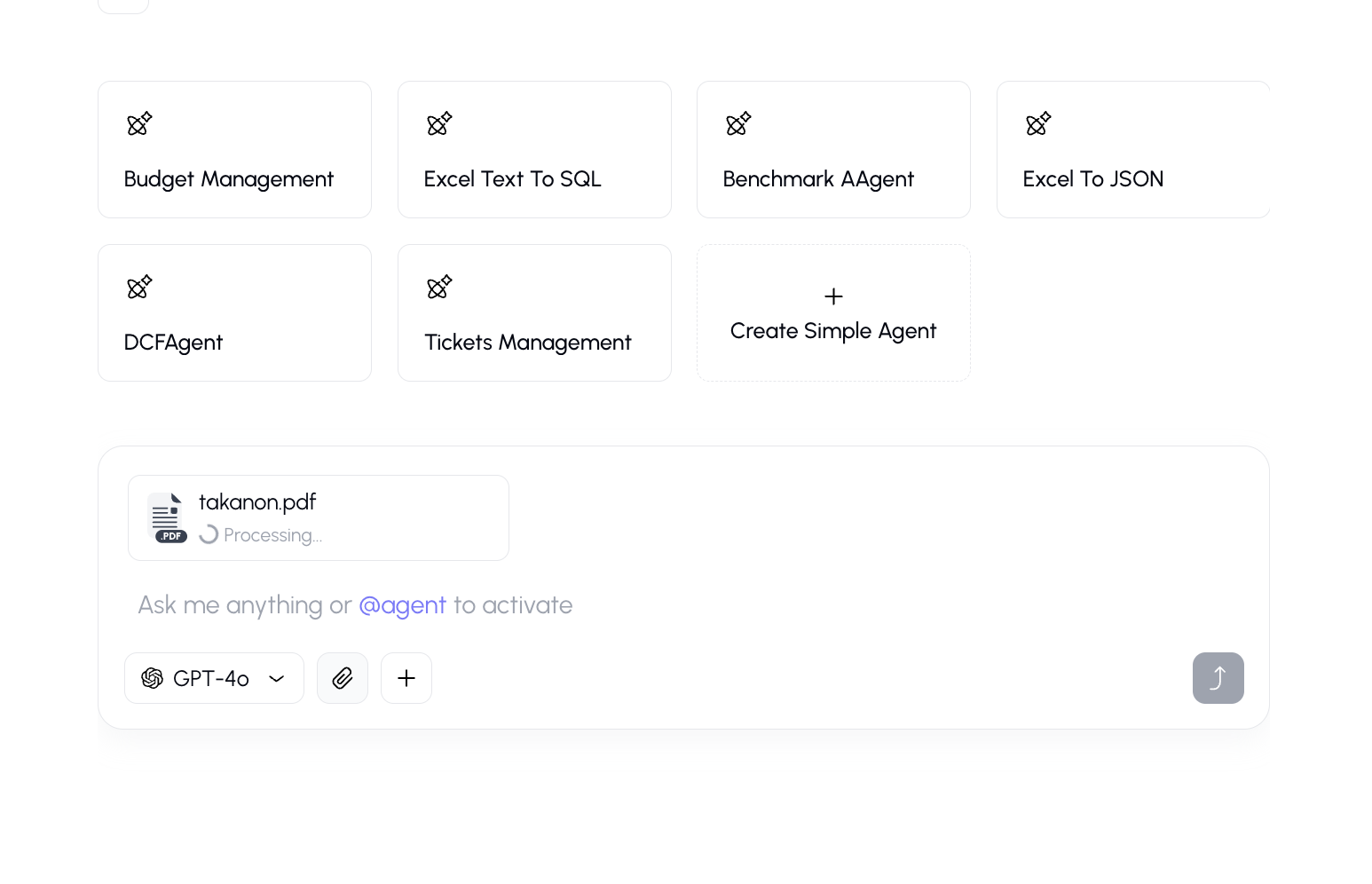
- Look for the paperclip icon (📎) in the input bar at the bottom of the chat.
- Click it to open your file browser.
- Select one or more files from your device.
- The files will appear as thumbnails above the input bar.
- Type your message and send — the AI will have access to the file content.
Option 2: Drag and Drop
- Drag a file from your computer directly onto the chat window.
- A drop zone will appear, indicating you can release the file.
- Drop the file — it will be attached to your next message.
Supported File Types
The platform supports a wide range of file formats:
| Category | Formats |
|---|---|
| Documents | .pdf, .doc, .docx, .txt, .md |
| Spreadsheets | .xlsx, .xls, .csv |
| Presentations | .ppt |
| Images | .png, .jpg, .jpeg |
File Limits
- Maximum file size: 100 MB per file (an be changed based on your company’s decision)
- Maximum number of files: Up to 20 files can be attached at once
What Happens to Your Files
- Images (PNG, JPG, JPEG) are sent directly to the AI model for visual analysis.
- Documents (PDF, DOCX, etc.) are processed and their text content is extracted for the AI to read.
- Uploaded files are associated with your conversation and can be used as context for follow-up questions.
Saving Files to Knowledge
If you want to keep a file permanently and make it available across all your conversations (not just the current one), you should upload it to the Knowledge section instead. Files in Knowledge can be:
- Organized into folders
- Shared with team members
- Used as RAG sources across multiple conversations
See My Files for details on managing your knowledge base.
Tips
- For best results with documents, ask specific questions about the content rather than very general ones.
- Image files can be used for visual analysis — the AI can describe what's in a photo and read text from images.
Related
- Chat Overview
- [Upload Full Context]
- Knowledge Overview