Agent List & Home
The Agents page is your central hub for browsing, organizing, and managing all your AI agents. It works like a file manager, with views for your own agents, shared agents, and quick-access favorites.
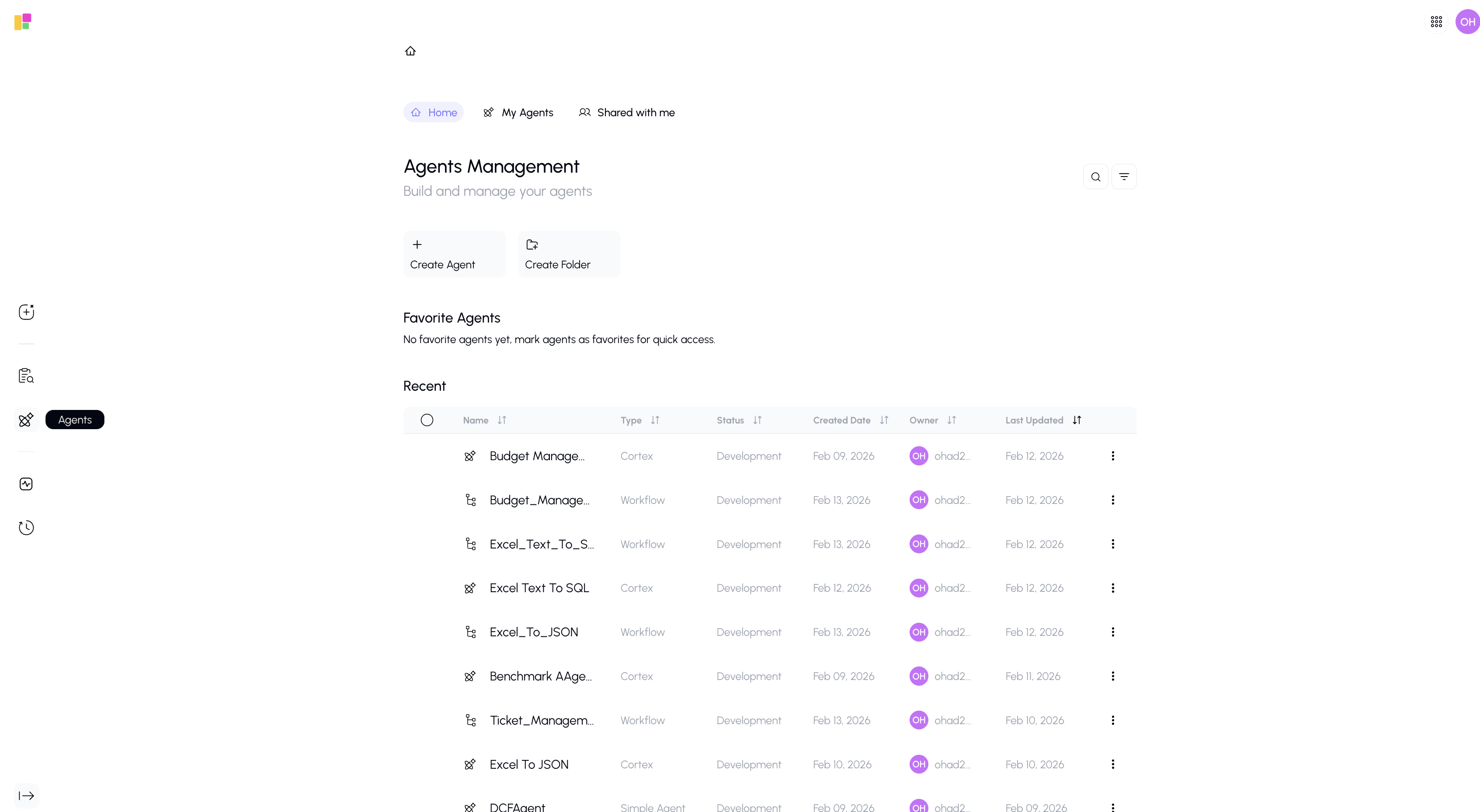
Page Views
The Agents page has three main views, accessible from tabs at the top:
Home
The default landing view, designed for quick access to what you use most:
- Favorite Agents — Agents you've starred appear as cards in a featured grid at the top
- Recently Used — Agents you've recently chatted with
- Quick Actions — Buttons to create new agents or browse categories
My Agents
A detailed table showing all agents you own:
| Column | Description |
|---|---|
| Name | The agent's name (click to open) |
| Type | Simple, Cortex, or Workflow |
| Status | Development or Production |
| Created | When the agent was created |
| Owner | The owner of the agent |
| last updated | The last update time of the agent |
Features:
- Sort by any column (click the column header)
- Search using the search bar at the top
- Multi-select agents using checkboxes for bulk actions
- Folders — agents can be organized into folders
Shared with Me
Agents that team members have shared with you. These appear in the same table format as My Agents, but you may have limited editing permissions depending on the access level granted.
Agent Actions
click on the three dots next to an agent to see available actions:
| Action | Description |
|---|---|
| Open / Chat | Start a conversation with the agent |
| Edit | Open the agent in its builder (Gunnies, Cortex, or Workflow Agent) |
| Rename | Change the agent's name |
| Duplicate | Create a copy of the agent |
| Move | Move the agent to a different folder |
| Share | Share the agent with team members |
| Favorite | Add to or remove from your favorites |
| Delete | Permanently remove the agent |
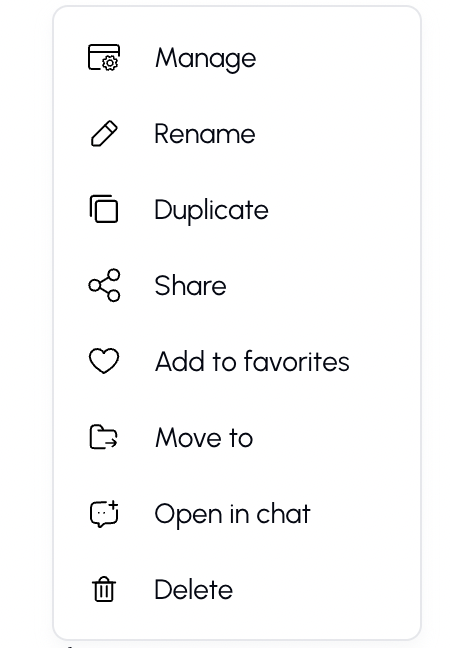
Workflow will have different Agent Actions
Bulk Actions
Select multiple agents using checkboxes, then use the bulk action bar to:
- Delete multiple agents at once
- Move multiple agents to a folder
Tips
- Favorite the agents you use most often so they appear on the Home view for quick access.
- Use folders to organize agents by team, project, or function.
- The Shared with Me view is great for discovering agents your colleagues have built.
- Use Duplicate to create a copy of an agent as a starting point for a new one.